Project management, time tracking, and invoicing: finally in one place.
Aeto is built around the way freelancers actually work: take on a project, track your time, and send an invoice. Every feature connects to that flow — available on Mac, in any browser, or through the Chrome Extension — and every task you complete becomes a ready-to-bill line item on your invoice.
30-day free trialNo credit card requiredMac · Web · Chrome
One app. Every part of the job.
A few screens of Aeto. Each view is built for a specific beat of your workday.
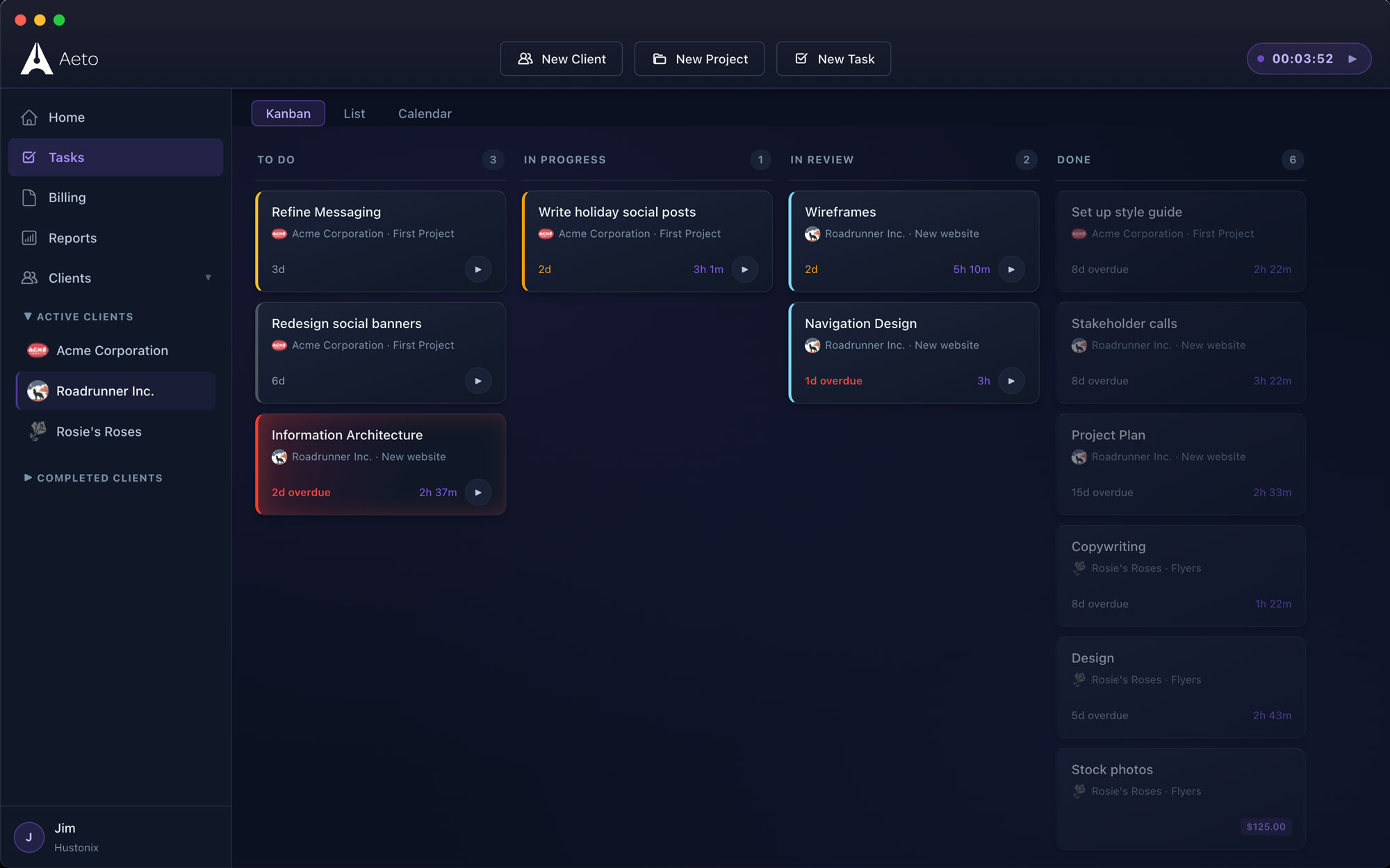
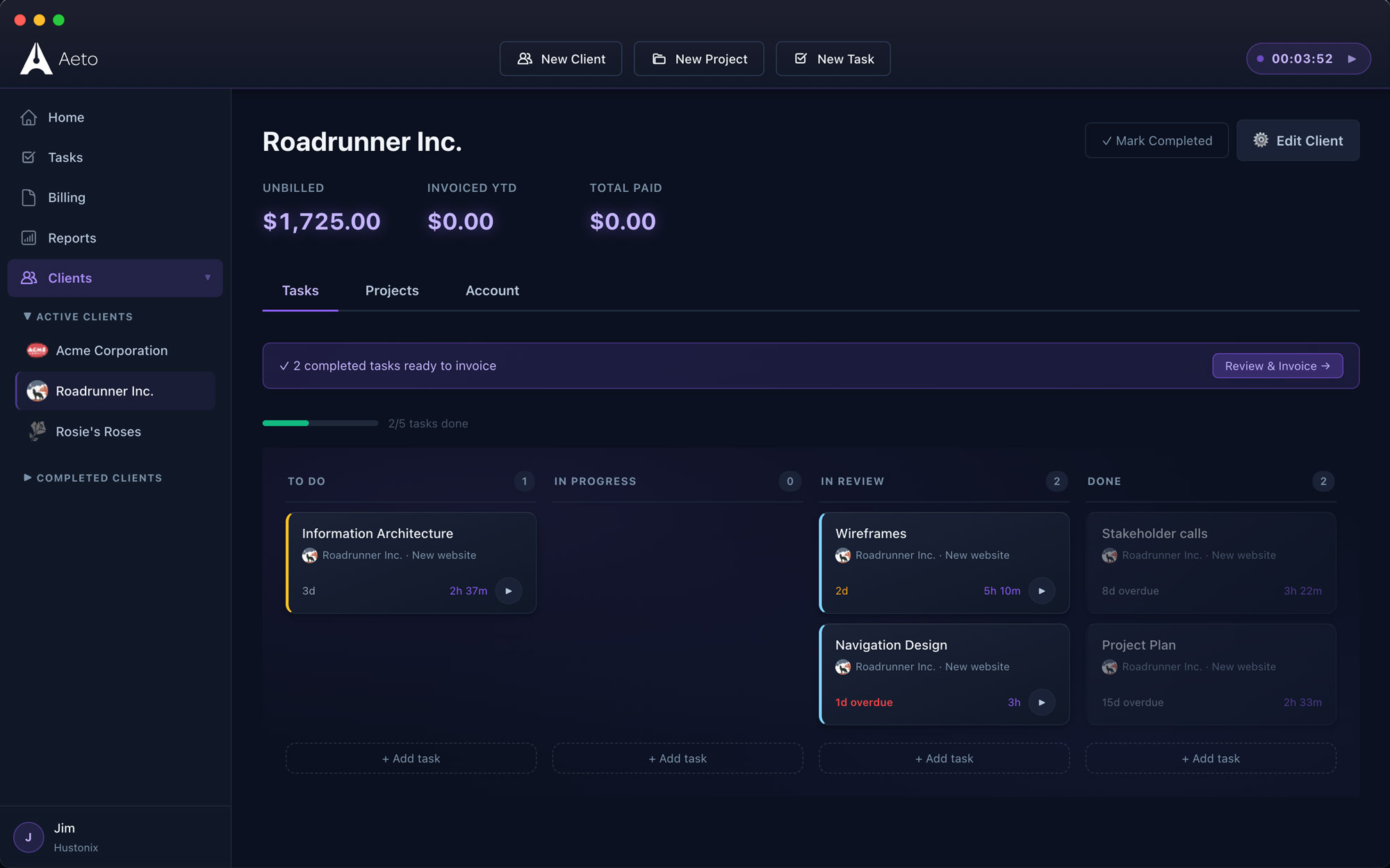
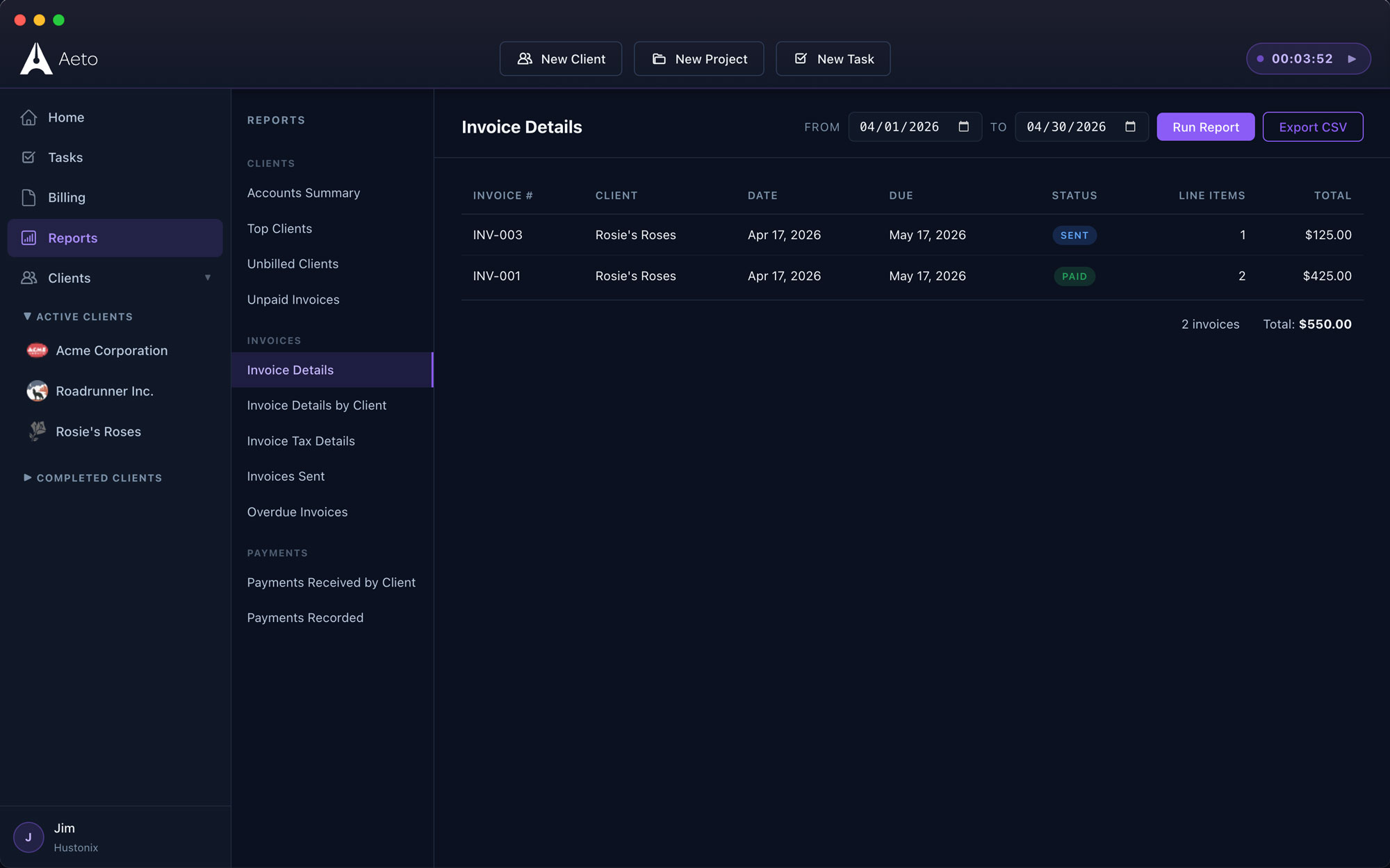
Every task, every client, on one board.
Drag between To Do, In Progress, In Review, and Done. Status flows straight through to invoicing.
One app. Every part of the freelance job.
Aeto connects project management, task-level time tracking, and invoicing so nothing falls through the cracks and no billable hour goes unrecorded.
F.01
Project & task management
Kanban board, task lists, deadlines. Every task you add is one less thing to reconstruct at billing time.
F.02
Time tracking
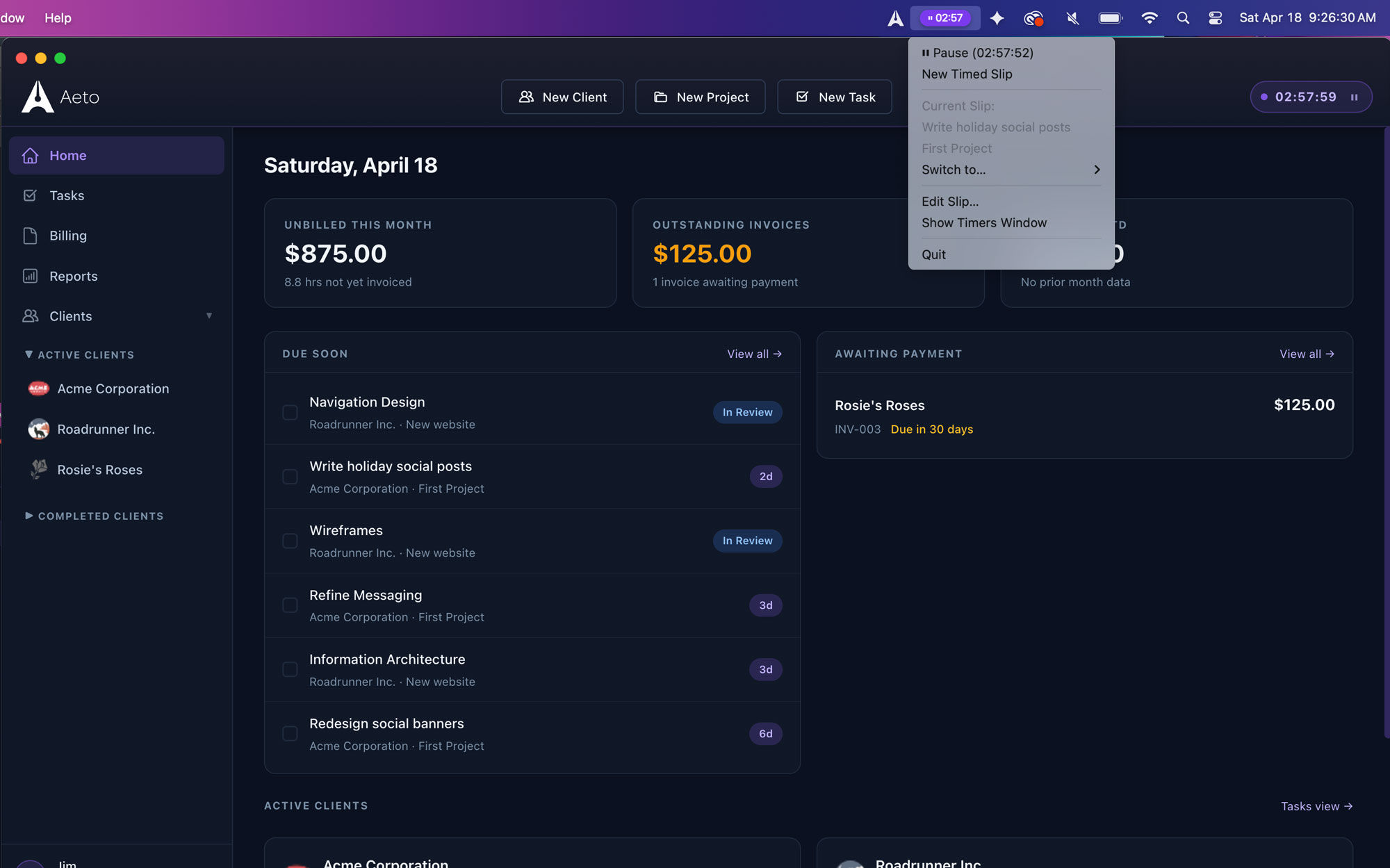
Task-level tracking from the app or the menu bar. Every minute ties to a task, a project, and a line item.
F.03
Professional invoicing
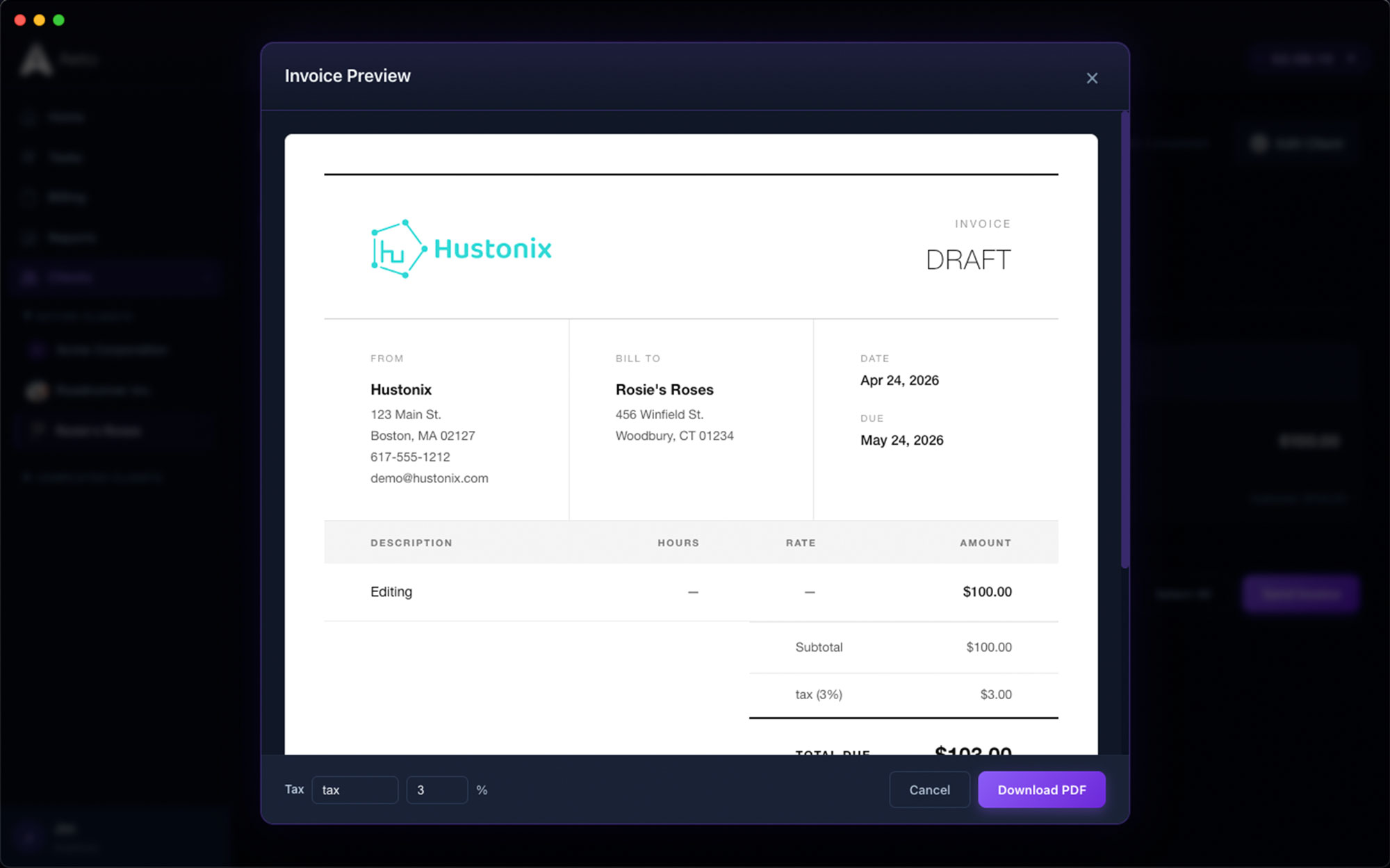
One click turns tracked time into a clean, client-ready invoice. No spreadsheet, no manual entry, no math.
F.04
Payments ledger
Paid, outstanding, overdue — see where every client stands without scrolling through your inbox.
F.05
Calendar view
Projects, tasks, and deadlines on one calendar. Plan the week without switching apps.
F.06
Dashboard
Revenue, active projects, recent time entries, upcoming deadlines. The state of your business, in under a minute.
Questions about features in Aeto.
Everything you're likely to ask before you download the trial.
Q.01Does Aeto have a Kanban board?
Yes. Aeto includes a Kanban board that displays tasks across all your projects and clients. Tasks move through To Do, In Progress, In Review, and Done columns.
Q.02Can I track time on individual tasks?
Yes. Every timer in Aeto is started on a specific task inside a specific project. Time is tracked at the task level, not just the project level, so invoice line items are generated automatically from that data.
Q.03Does Aeto support flat-fee projects?
Yes. Aeto supports both hourly and flat-fee project types. On flat-fee projects, Aeto tracks internal hours and displays your effective hourly rate so you can evaluate profitability and quote future projects more accurately.
Q.04Can I manage multiple clients in Aeto?
Yes. Aeto is built for multi-client freelance work. Each project is associated with a client, and the dashboard, list, calendar, and Kanban board display work across all clients simultaneously.
Q.05How is Aeto different from other freelance project management apps?
Most project management apps do not track time at the task level, and most time trackers do not generate invoices. Aeto connects all three: project management, task-level time tracking, and invoicing in one application.