Words are your product. Make sure you're billing for all of them.
Aeto tracks time across every phase of your work: research, drafts, revisions, calls. Then it turns that data into a professional invoice automatically.
30-day free trialNo credit card requiredmacOS 12+Apple Silicon
How Aeto works for copywriters.
Aeto is for independent professionals who do the work and send the invoice, without a team, a finance department, or a second app.
01 — project management
Break projects into phases.
A copywriting project isn't just writing. Add tasks for discovery, research, outline, first draft, revisions, and final delivery. Each phase gets its own time log, so your invoice reflects the full scope of work rather than just the hours you spent typing.
How project management works02 — time tracking
Track time as you move through the work.
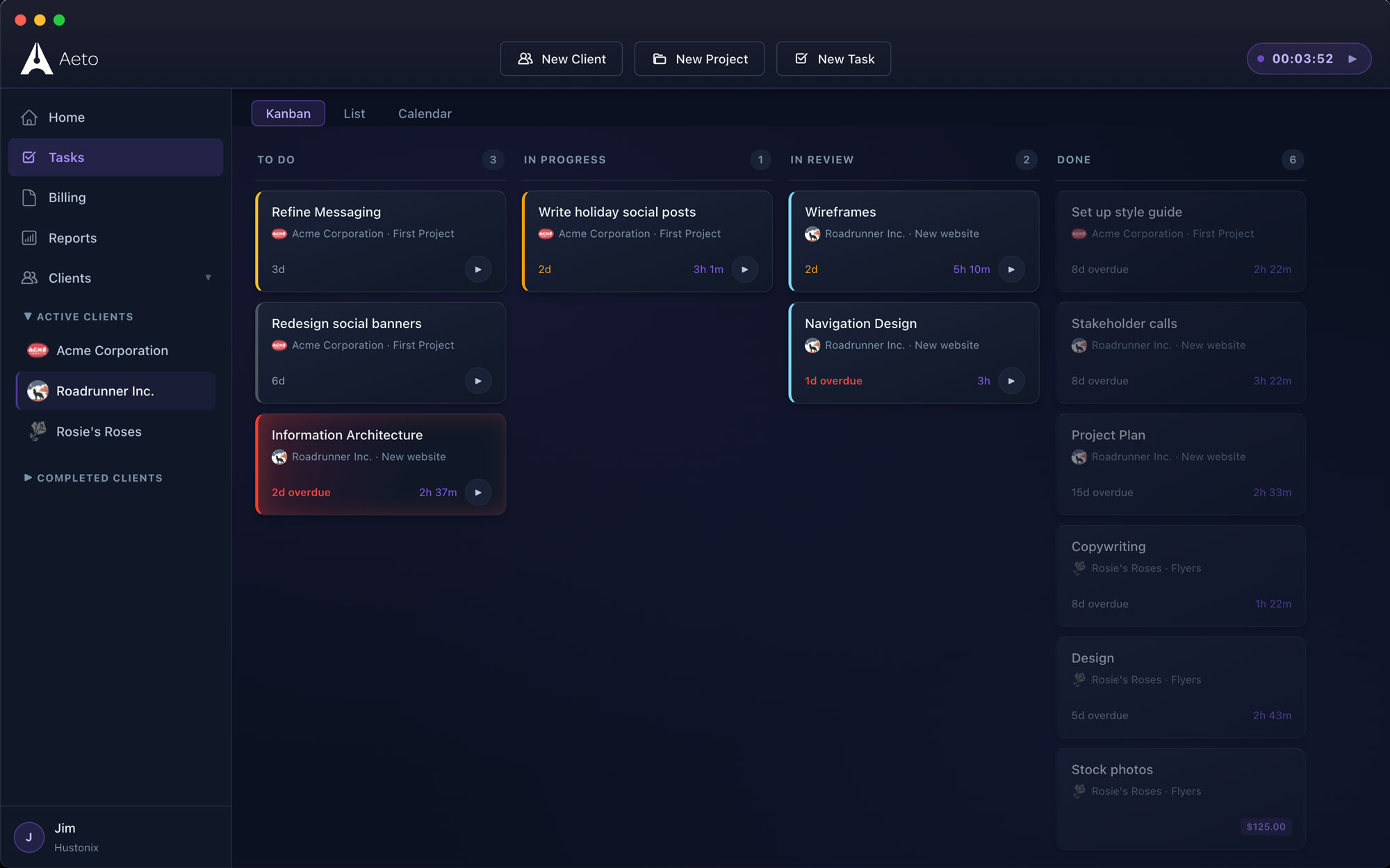
Start the web or menu bar timer when you begin research. Switch tasks when you move to drafting. Stop it when the call ends. Aeto automatically logs each session to the correct phase.
How time tracking works03 — invoicing
Invoice with context.
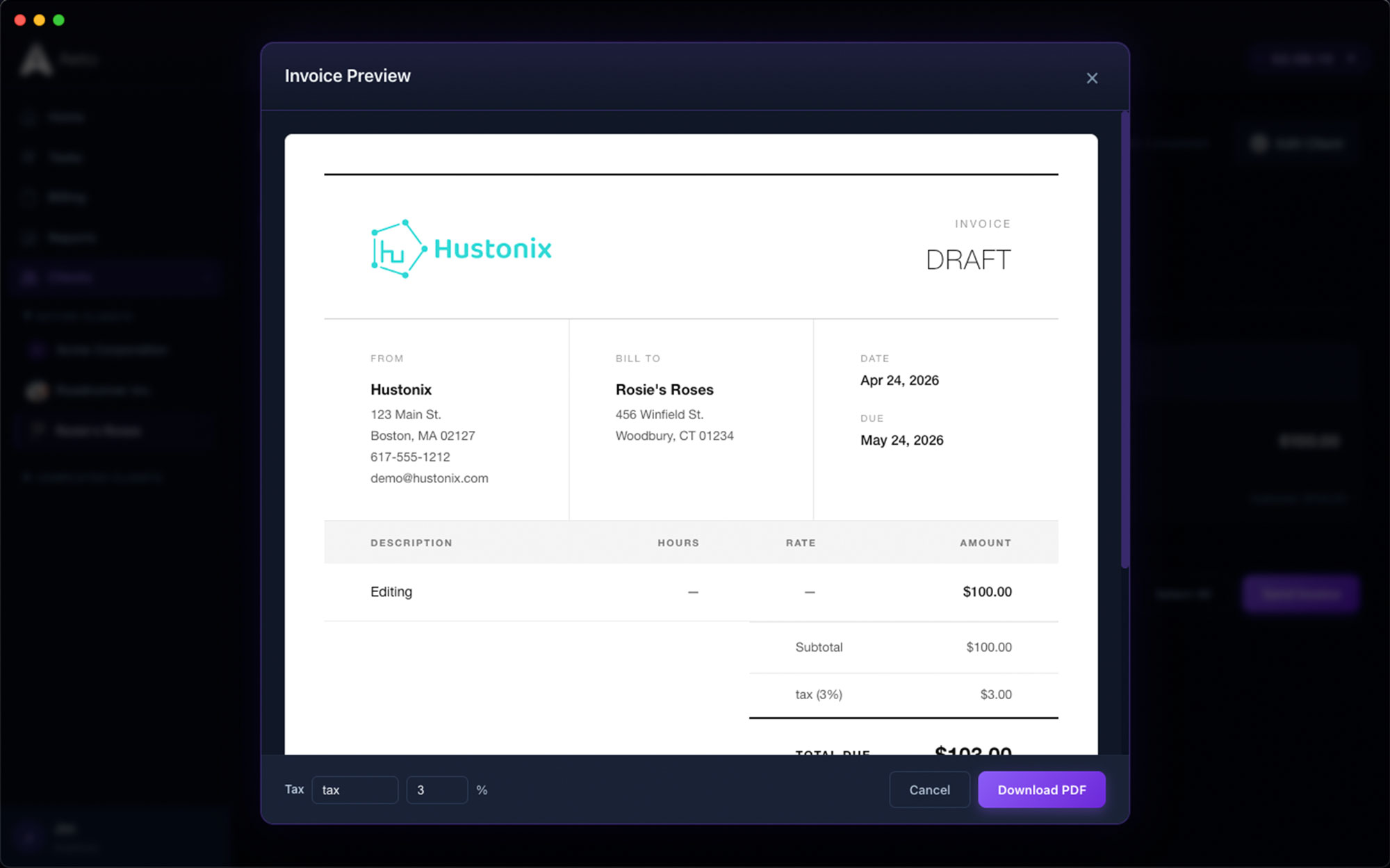
Aeto invoices show itemized line items from your tasks, so clients see Research, Drafting, and Revisions as separate entries rather than a single opaque hours total. Transparent invoices get paid faster and are questioned less.
How invoicing works04 — retainer management
Retainer management.
Track hours throughout the month, then invoice at the end. Aeto shows what's been logged, so the monthly invoice becomes a two-minute task rather than an hour of reconciliation.
About the menu bar timer• THE FIX
Aeto is built for copywriters who bill for their time or output. One app, one workflow, nothing left unbilled.
One app. Every part of the job.
A few screens of Aeto. Each view is built for a specific beat of your workday.
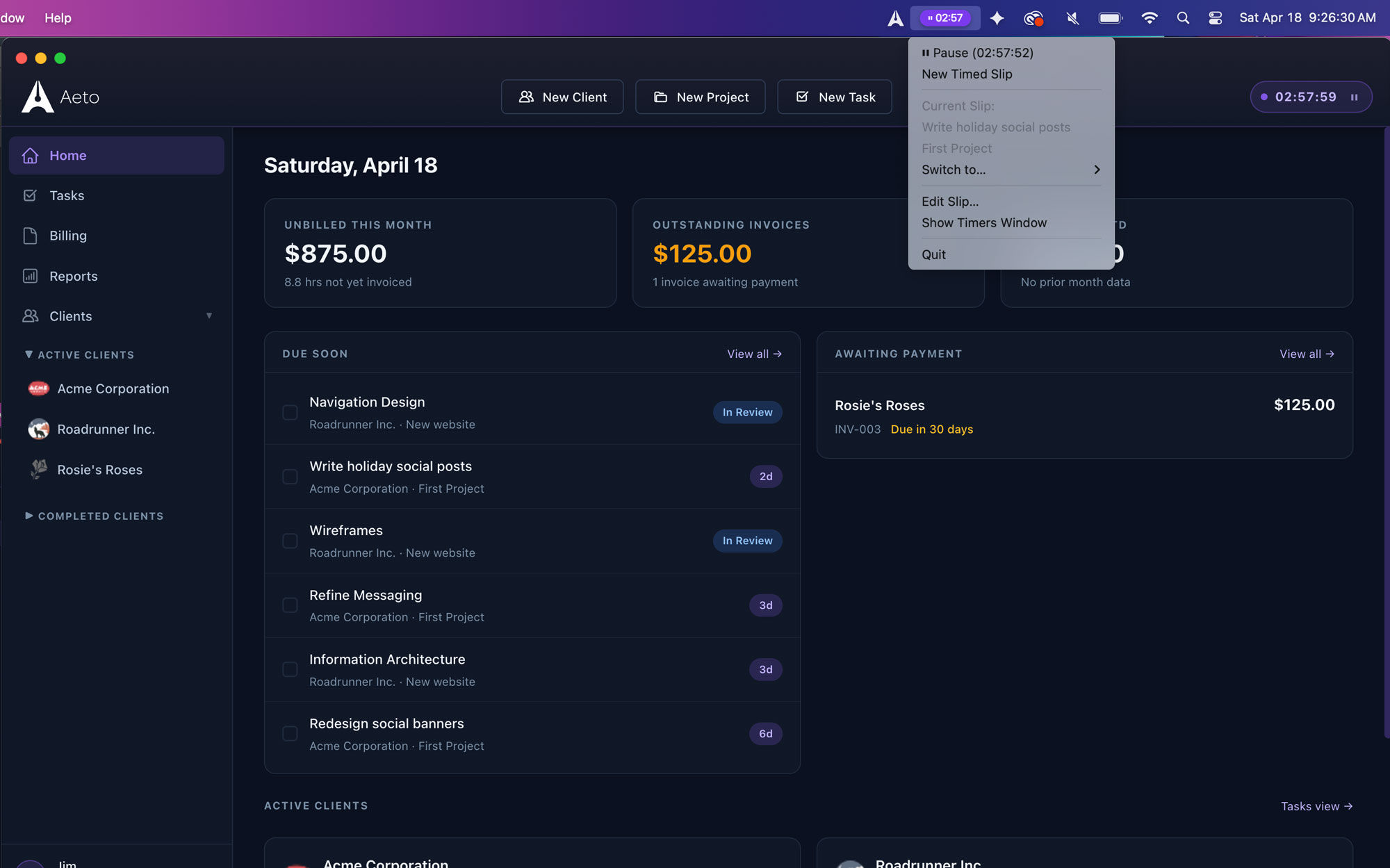
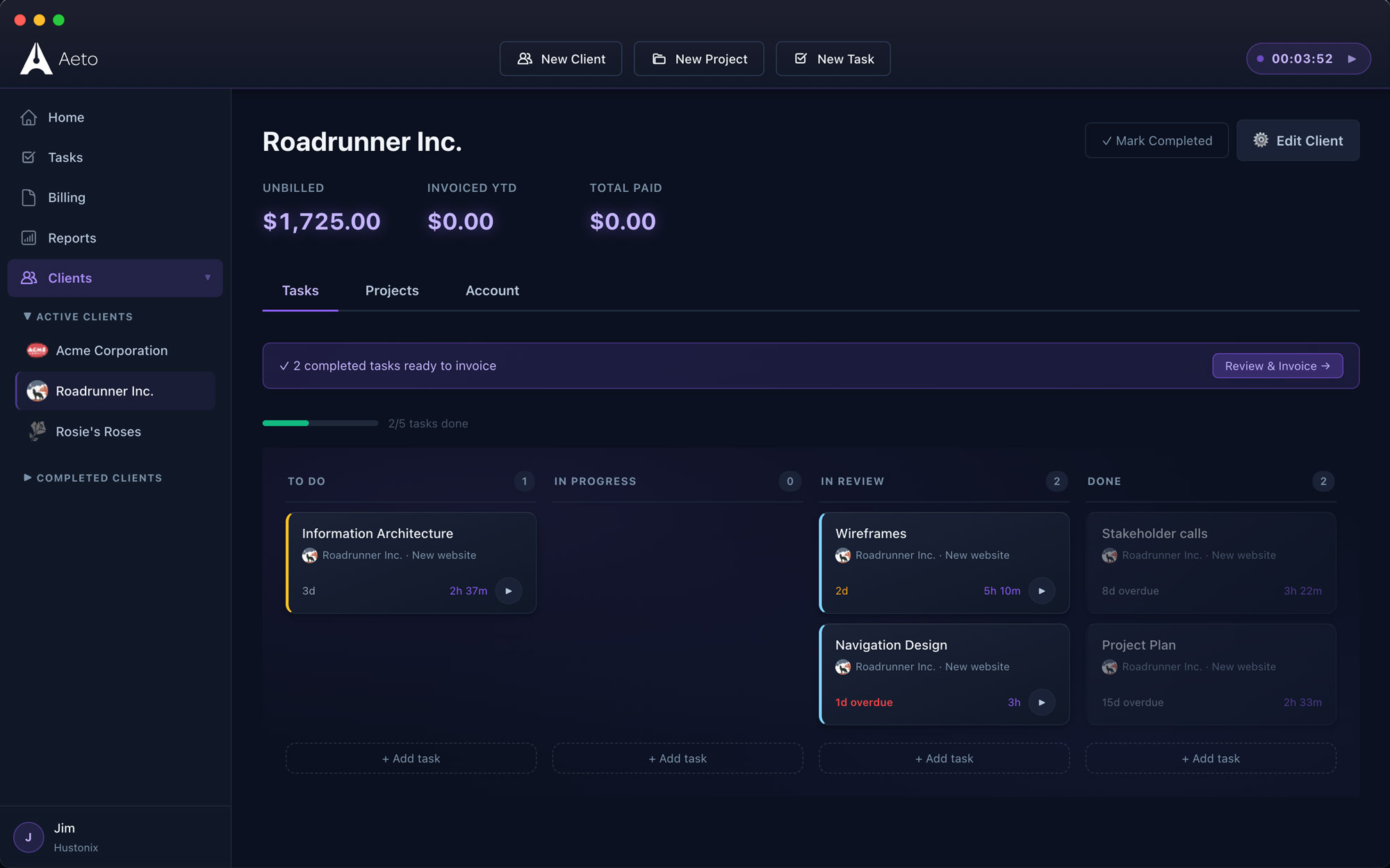
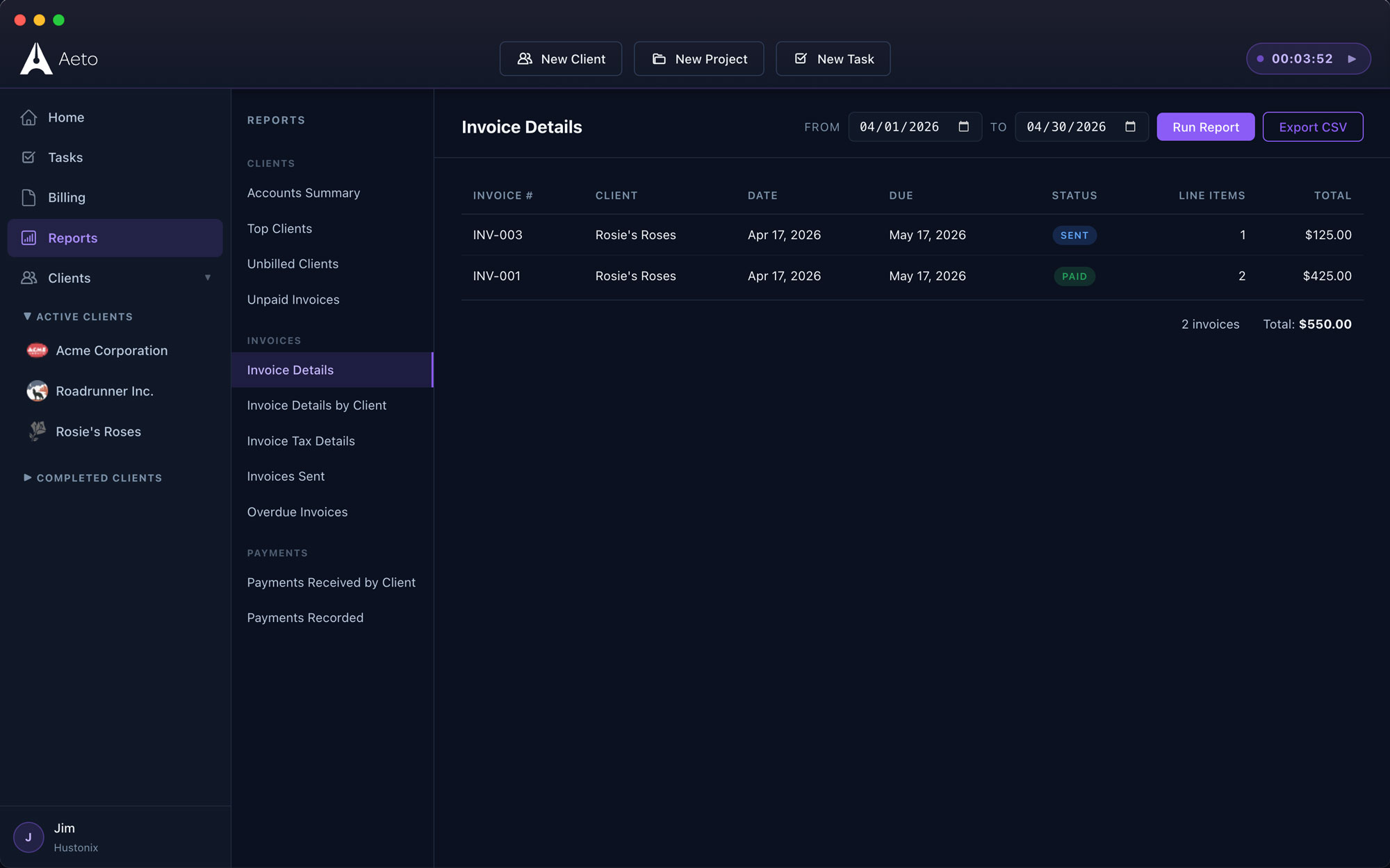
Every task, every client, on one board.
Drag between To Do, In Progress, In Review, and Done. Status flows straight through to invoicing.
Answers to the questions we get most.
Everything you're likely to ask before you download the trial.
Q.01Is Aeto useful for freelance copywriters?
Yes. Aeto is designed for freelancers who work in phases and need to track time across each one. It connects that time tracking directly to invoicing, so every billable phase shows up on the invoice without manual entry.
Q.02Can I track time on different phases of a writing project?
Yes. Break a project into as many tasks as you need: discovery, research, outline, first draft, revision rounds, final delivery. Track time on each separately. Your invoice can show each phase as its own line item.
Q.03Does Aeto work for copywriters on monthly retainers?
Yes. Track hours throughout the month against a retainer client, then generate the monthly invoice from those entries. Aeto shows what's been logged so you can send an accurate invoice in minutes at the end of each billing cycle.
Q.04How does the menu bar timer work?
If you're on the macOS app, click the Aeto icon in your menu bar, pick a project and task, and hit Start. The timer runs in the background. Stop it when you're done and the session is added to your time log automatically.
Q.05Can I send itemized invoices that show the breakdown of work?
Yes. Aeto invoices list each task as a separate line item, so clients see Research, First Draft, and Revision Round 1 as individual entries rather than a single total. Itemized invoices tend to get paid faster and are questioned less.
Q.06Is there an iOS or Windows version?
Not yet. Aeto is web- and macOS-first. An iOS companion app is on the roadmap. Windows isn't planned at this point.