Ship the code. Log the time. Send the invoice.
Developers often work across multiple codebases. Keeping the billing clean is an unpaid job. Aeto handles the separation automatically; in the browser while you're in your editor, or from the Mac menu bar if you're on Apple Silicon.
30-day free trialNo credit card requiredmacOS 12+Apple Silicon
You're billing three clients on different hourly rates, and your current time tracker has no idea which ticket belongs to which invoice.
Freelance developers often work across multiple client codebases at once: a retainer here, a project there, a quick fix for an old client on the side. Keeping the billing clean is its own unpaid job. Aeto handles the separation automatically. Every time entry belongs to a task, every task belongs to a project, and every project belongs to a client.
01 — project management
Organize by client and project.
Organize clients, projects, and tasks in one place. Kanban board, task lists, and deadlines included.
How project management works02 — time tracking
Track time on tasks, not just 'dev work'.
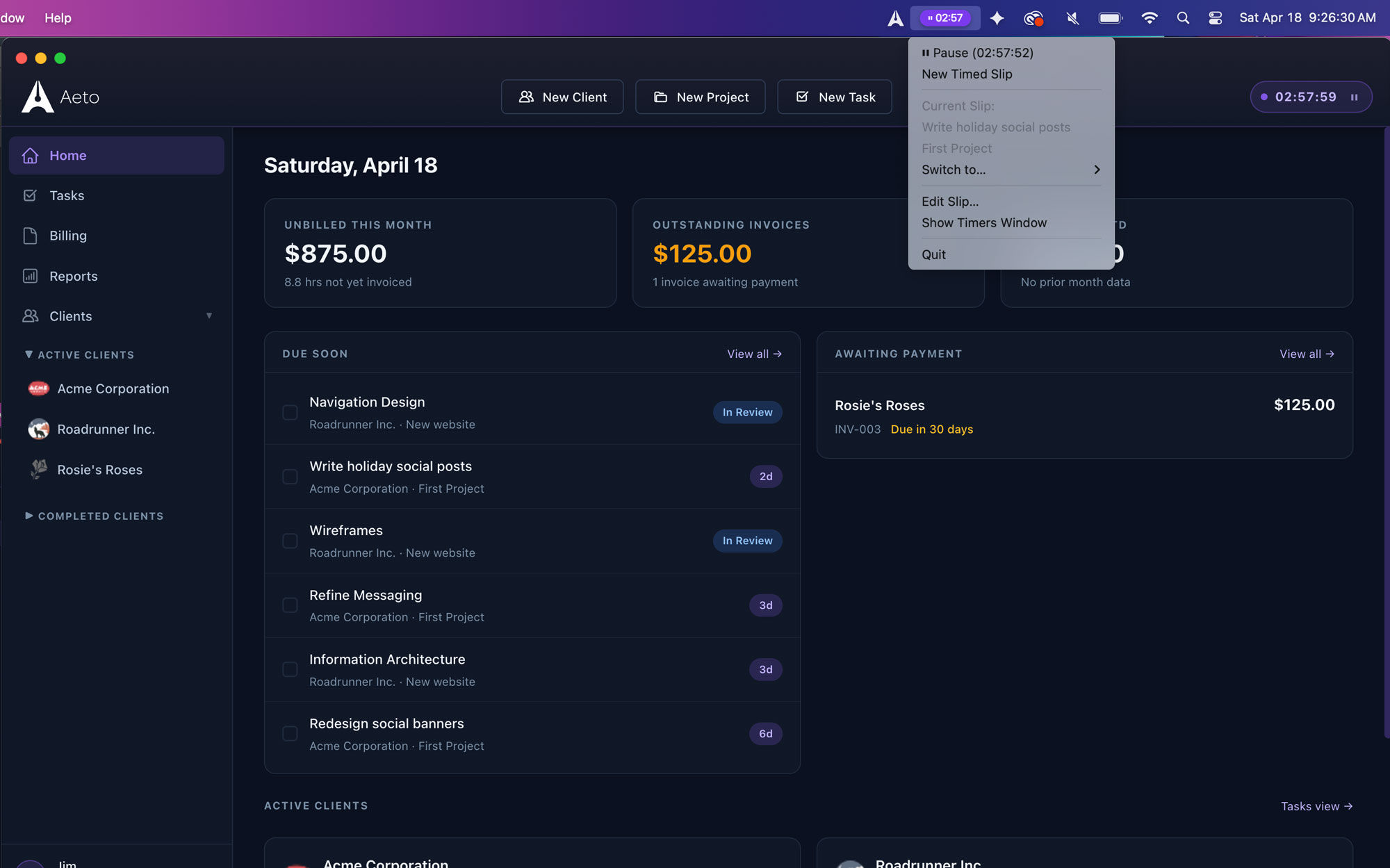
Track hours on tasks with the web-based in-app timer or the always-available macOS menu bar timer.
How time tracking works03 — billing
Bill hourly or flat-fee.
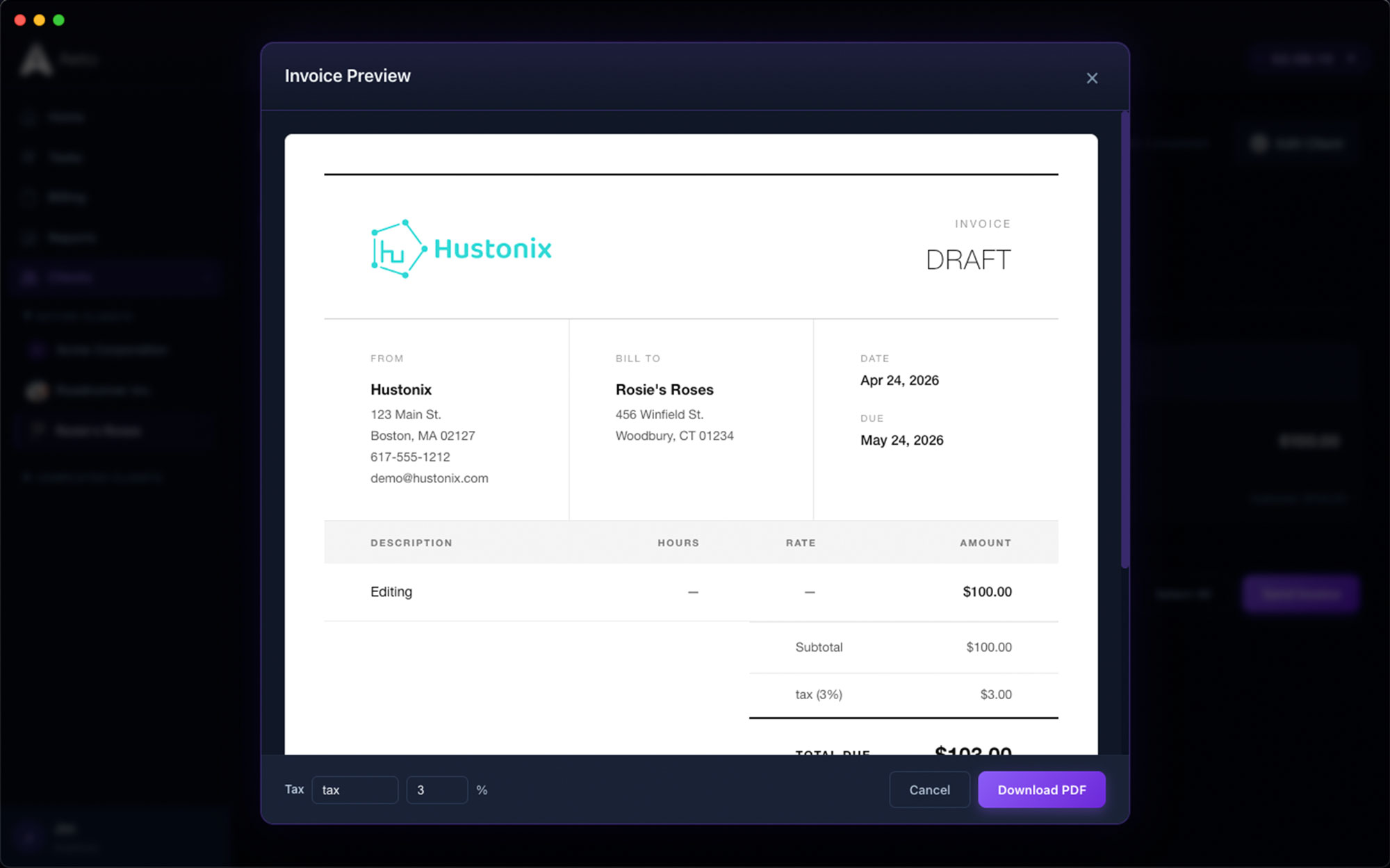
Turn tracked time into professional invoices in one click. No manual entry, no spreadsheet.
How timed billing works04 — invoicing
Invoice from tracked time in one click.
When a project milestone hits or a month ends, pull every unbilled hour into a professional invoice. No manual entry, no spreadsheet math. Review, adjust, send.
How invoicing works• THE FIX
Aeto closes every gap. One app, one workflow, nothing left unbilled.
One app. Every part of the job.
A few screens of Aeto. Each view is built for a specific beat of your workday.
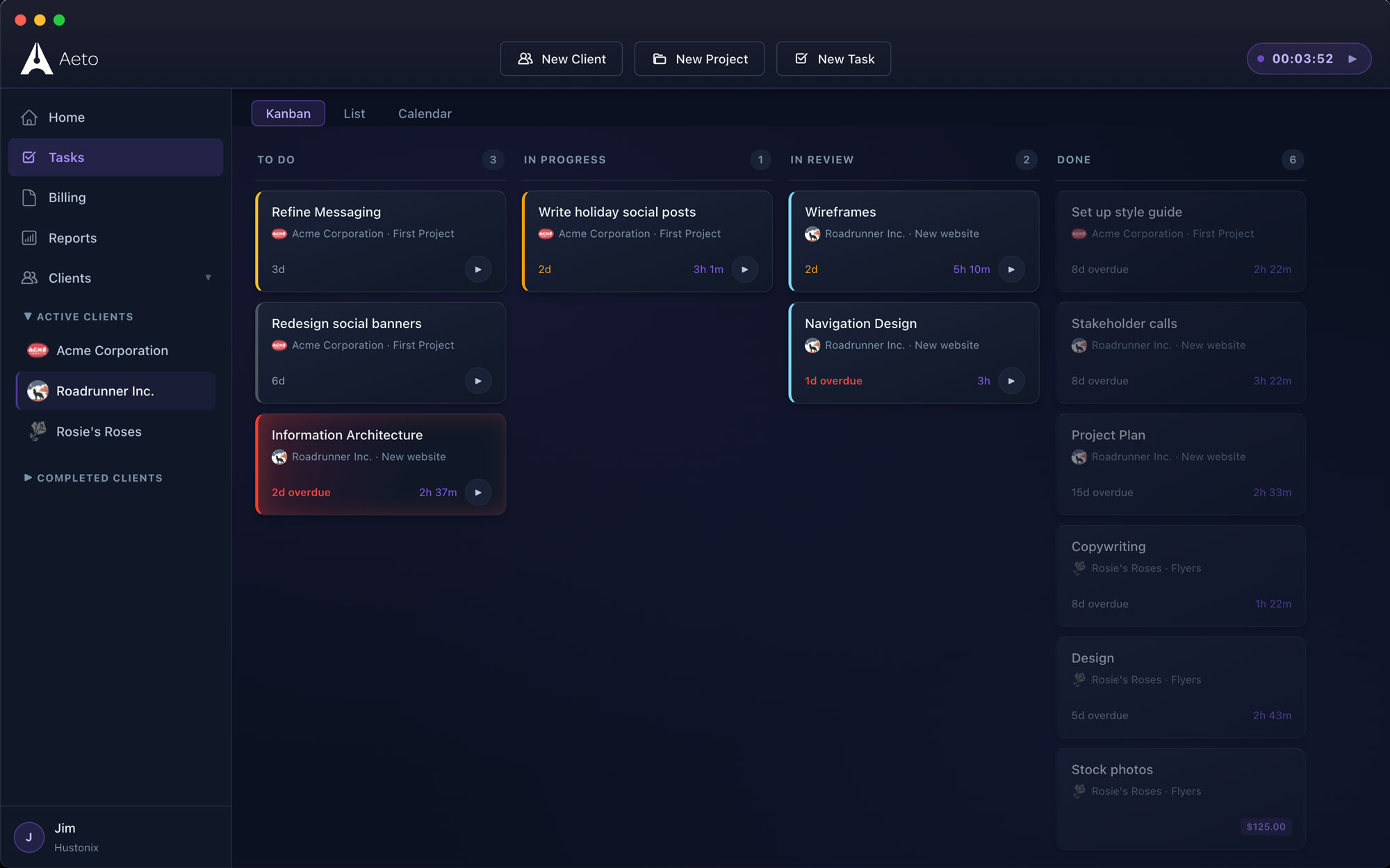
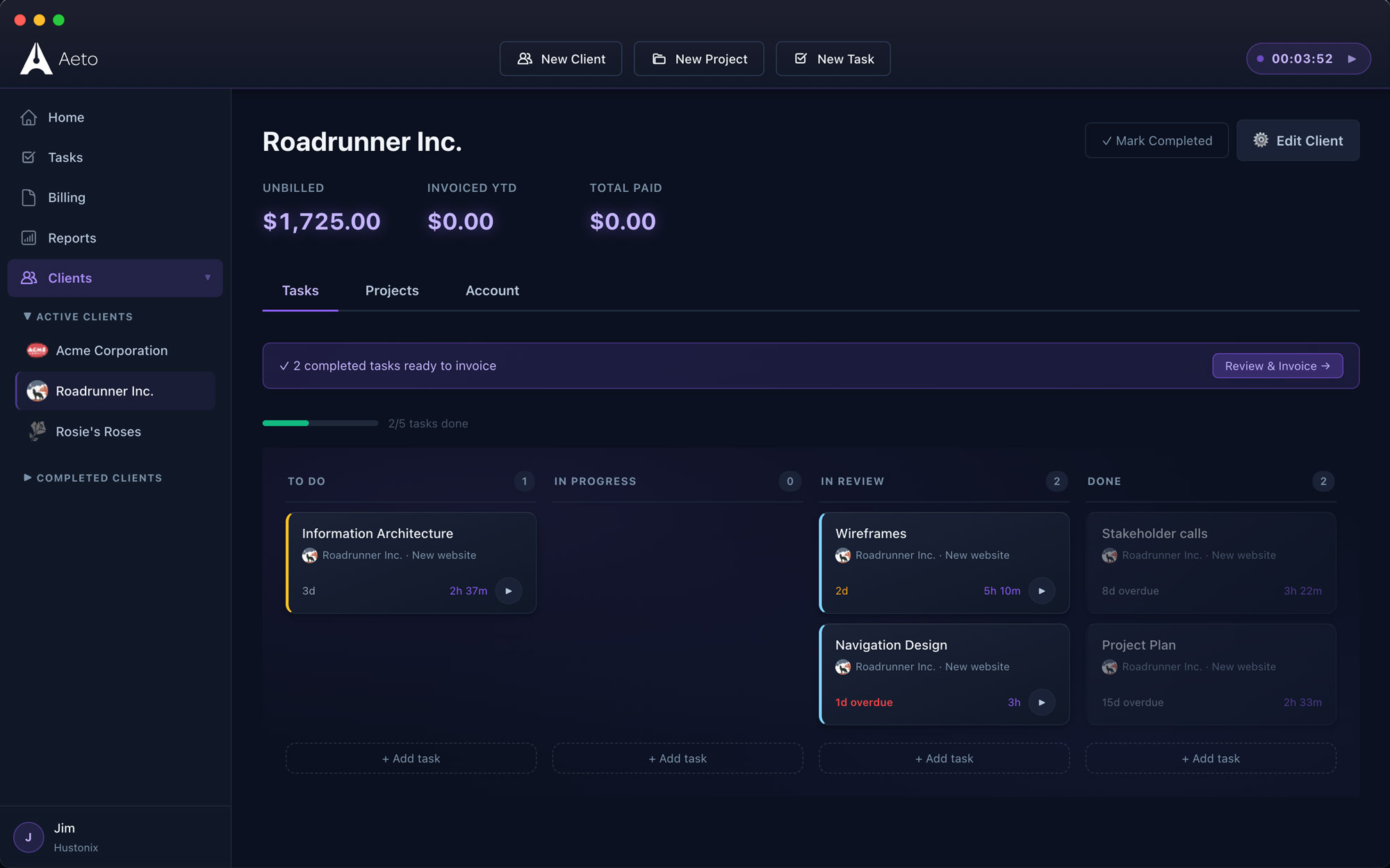
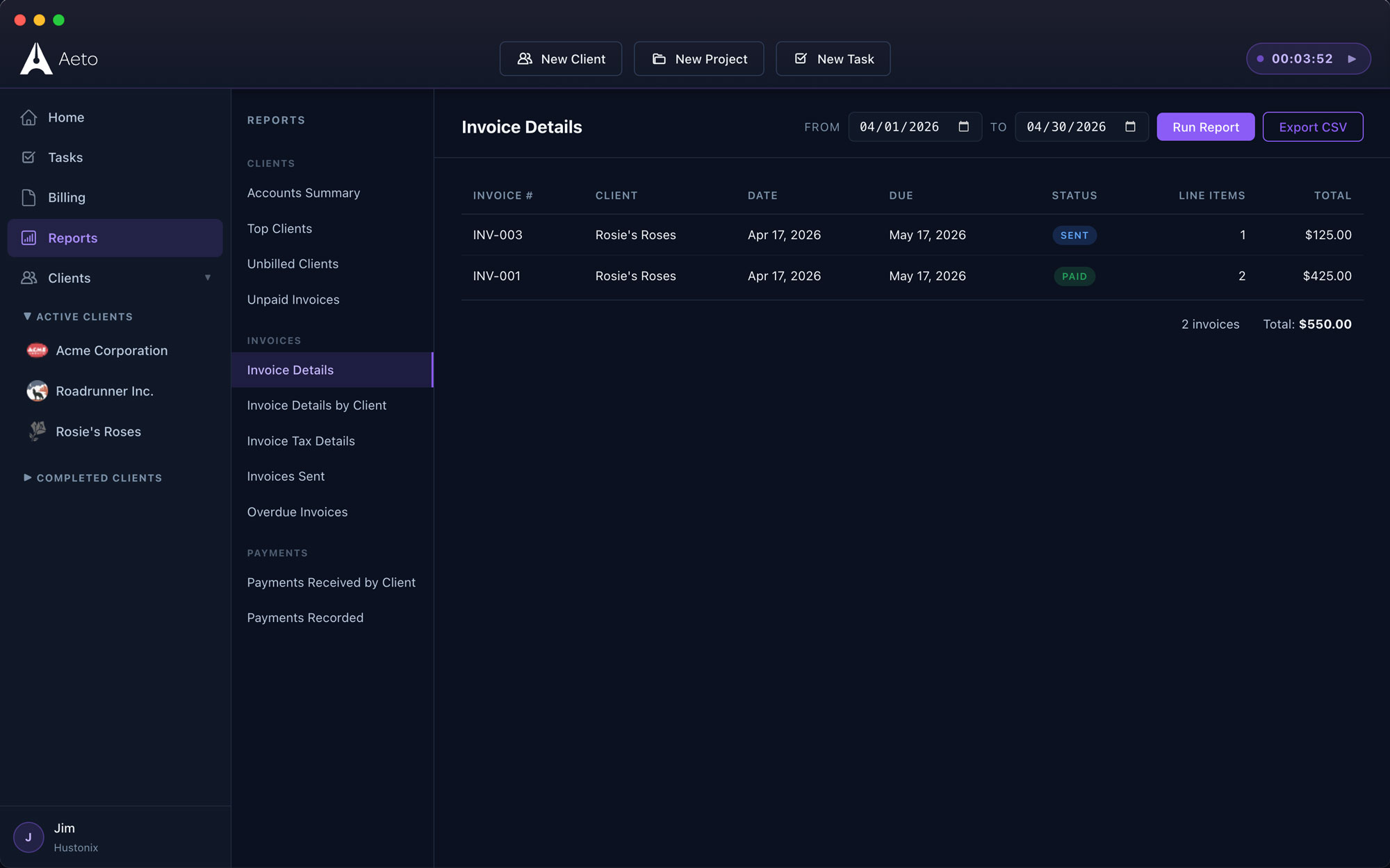
Every task, every client, on one board.
Drag between To Do, In Progress, In Review, and Done. Status flows straight through to invoicing.
Answers to the questions we get most.
Everything you're likely to ask before you download the trial.
Q.01Is Aeto good for freelance developers?
Yes. Aeto is built for freelancers who manage multiple client projects, track billable hours by task, and invoice. It runs as a native Mac app with a menu bar timer that works in the background while you're in your editor or terminal.
Q.02Can I keep billing separate for multiple clients?
Yes. Every project in Aeto is scoped to a client. Time tracked on one client's project never appears on another client's invoice. You can work across multiple clients in a day and the billing stays clean automatically.
Q.03Does Aeto support flat-fee development projects?
Yes. Flat-fee projects in Aeto let you invoice at an agreed amount while still tracking internal hours. You see your effective hourly rate on every fixed-price job, which is useful for quoting future projects more accurately.
Q.04Does the timer work while I'm coding?
Yes. The Aeto menu bar timer starts in the web app or from your Mac menu bar without switching apps. It runs in the background while you're in your editor, browser, or terminal and logs to the correct project when you stop it.
Q.05Is there an iOS or Windows version?
Not yet. Aeto is web- and macOS-first. An iOS companion app is on the roadmap. Windows isn't planned at this point.
Q.06Can I charge different amounts for different clients or projects?
Yes. You can even charge different amounts at the task level.